Selling products with options
Sell one size or colour of a variable product at the till, by picking from a list or scanning the option's own barcode.
A variable product is one product with options — a shirt in sizes S, M and L, a paint in several colours — where each option has its own stock and price. Creating them is covered in Adding a new product. This guide covers selling them.
Sell an option at the till
- Go to POS (the checkout screen).
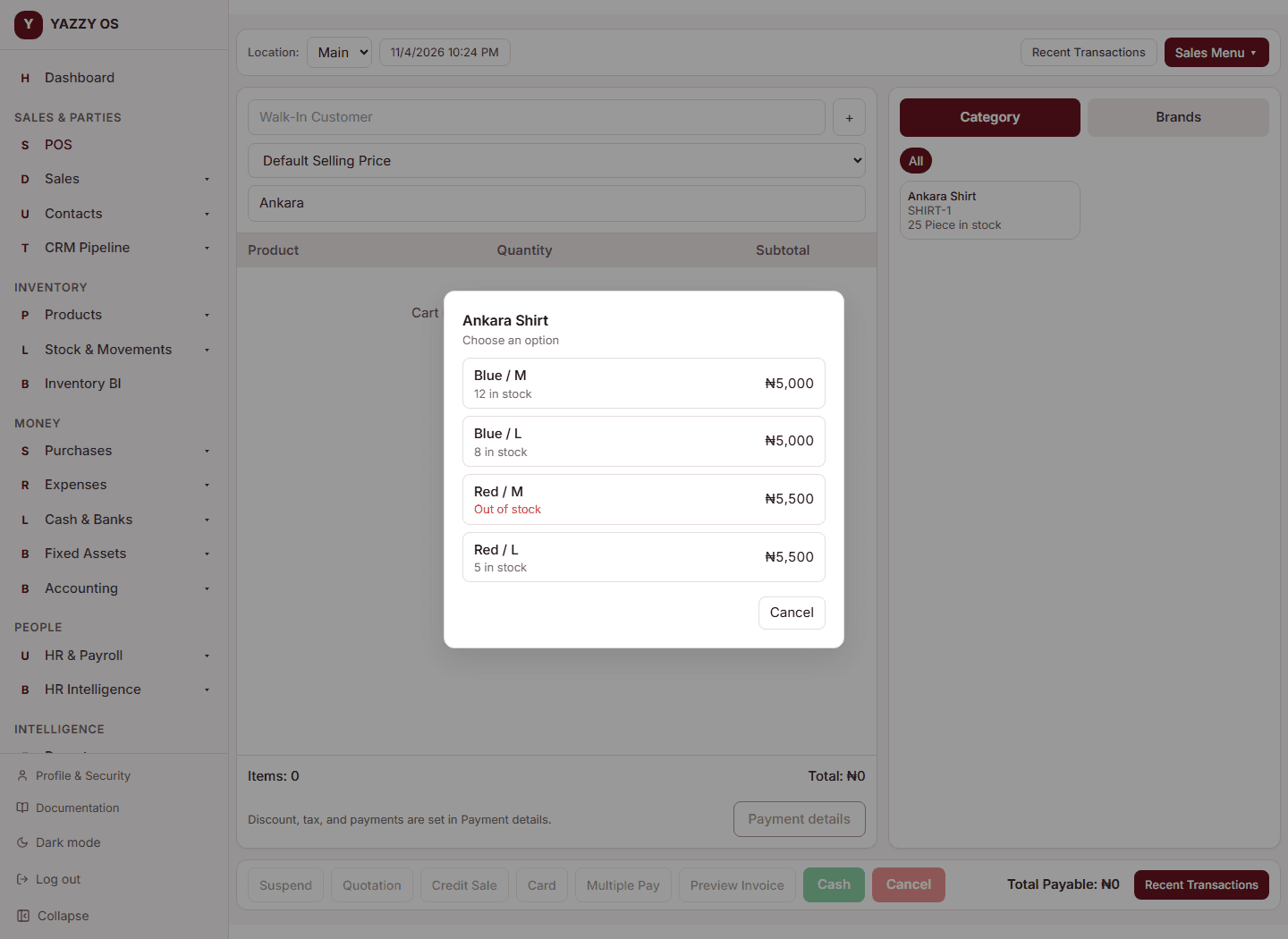
- Search for the product and select it. Because it is a variable product, a list of its options opens, each with its price and stock (an option with none left shows Out of stock in red).
- Select the option you want, for example Blue / M.
- It goes into the cart as its own line named Shirt – Blue / M, with that option's price. If the option has no price of its own, it sells at the product's price.
- Add other options the same way. Two different options of the same product are two separate lines. Selecting the same option again increases that line's quantity.
- Take payment as normal.
Stock goes down for that option, and the receipt prints Shirt – Blue / M.
If a product is set to Variable but has no options yet, the till sells it as an ordinary product instead of opening an empty list. Add its options on the product page when you want to sell by size or colour.
On the mobile app, tapping a variable product opens the same option list; if the item also has a secondary unit it then asks which unit to sell in.
Skip the list: scan the option's barcode
If each option has its own barcode (or SKU), you do not need the list:
- Click the search box on the checkout screen.
- Scan the option's barcode, or type its barcode or SKU, and press Enter.
- That exact option goes into the cart straight away.
If the code does not match any option, the search works as normal (it looks for products). On the Desktop app this works while online; offline the terminal has no option list.
Drafts, quotations and returns
The option stays with the line when you suspend a sale, save a draft or quotation, resume or edit it, and when you return goods — the return puts stock back on the same option.