Choose how your company uses units
Switch between one unit per item and primary-plus-secondary units, and what to expect when you switch.
Units mode is a company-wide setting. It decides whether items can be bought and sold in a second unit and whether quantities can be parts of a whole. Only the Owner can change it.
Turn on primary and secondary units (Option 2)
- Go to Settings → Product.
- At the top, under Units mode, select Option 2 — Primary and secondary units.
- Select Save.
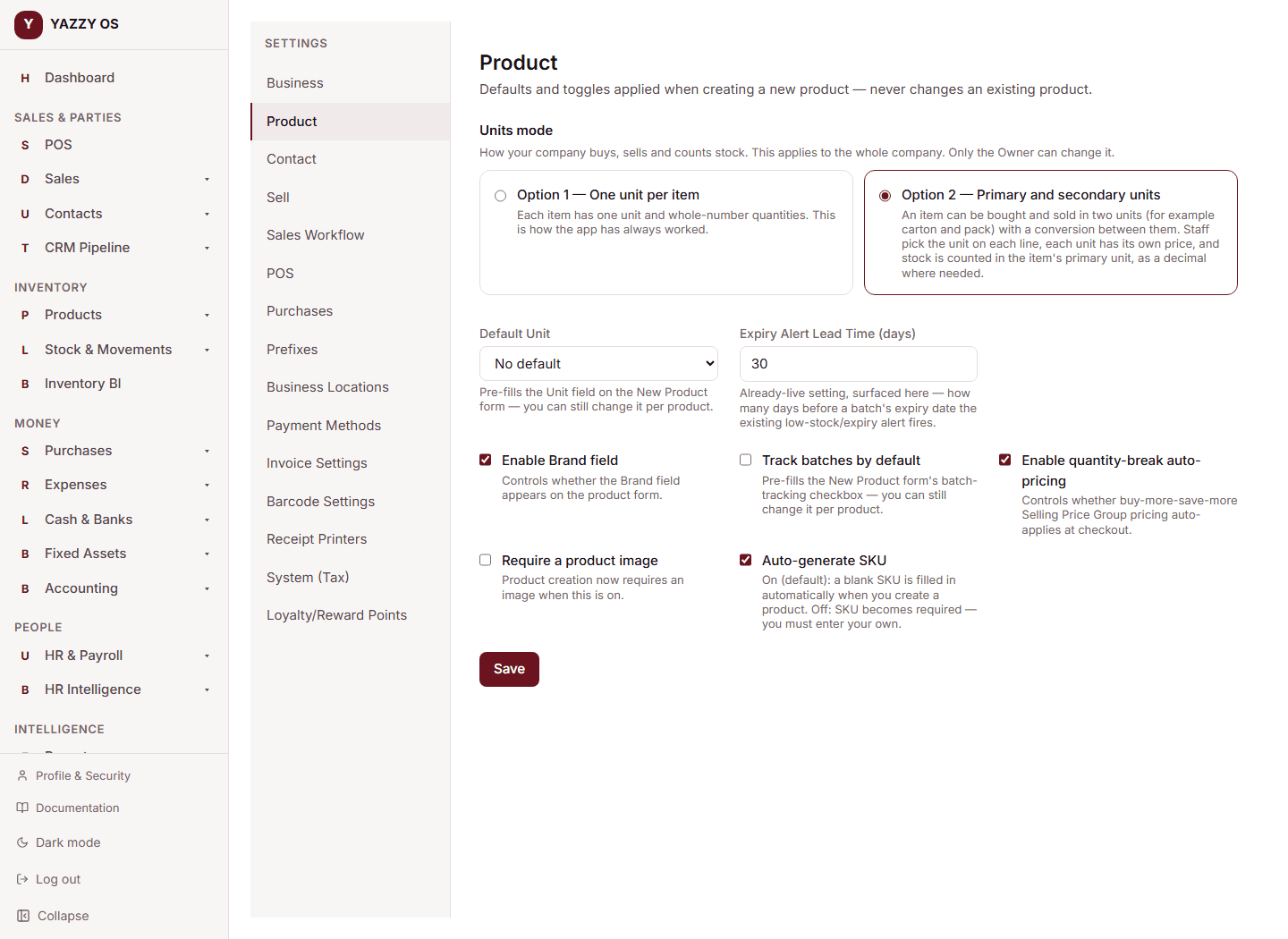
You can do this at any time. Nothing you have already recorded changes: every existing item keeps its one unit until you add a secondary unit to it, and all stock, sales and purchases stay exactly as they were.
On the mobile app the same choice is at Settings → Business → Product. On the Desktop app it is at Settings → Product.
What changes once Option 2 is on:
- The item form gets a Secondary unit section — see Set up an item with two units.
- Items that have a secondary unit show a unit choice on every sale, quotation, draft and purchase order line.
- Quantity boxes accept parts (for example 0.5).
- Stock lists show amounts like "12 Carton 5 Pack".
Go back to one unit per item (Option 1)
- Make sure no item still uses a secondary unit, and no item holds part-quantity stock (for example 9.85 cartons). To clear a secondary unit, open the item, set Secondary unit to None and save.
- Go to Settings → Product, select Option 1 — One unit per item and select Save.
If something still needs clearing, YAZZY OS refuses the switch and names the items, for example: cannot switch back to one unit per item while these items still have a secondary unit: ABC. Fix those items and try again.
When you switch back, any stock that is only a rounding crumb away from a whole number (such as 4.999996 left after many small sales) is tidied to that whole number.
Sales and purchases you recorded while on Option 2 keep the unit they were made in.
What Option 1 guarantees
While your company is on Option 1, every stock movement is a whole number: stock adjustments, opening stock, transfers, counts, goods receipts, supplier bills, returns and assembly builds all refuse a part quantity such as 1.5, with the message quantity must be a whole number.
Roles and permissions
- Only the Owner can change Units mode.
- Anyone who can edit products can set up secondary units on an item once Option 2 is on.