Releasing goods on a sales order
The final step — handing goods over, and what it takes to get there.
Releasing is the moment goods actually leave. It's deliberately the hardest step to reach on a sales order, because two things must both be true first:
- The stock has been picked and verified.
- Payment has been confirmed, or credit has been approved for the full amount.
Nothing else can substitute for either of these — not a manager's say-so, not an order marked urgent. The one exception is the picking step itself, and only for someone specifically trusted with that — see Releasing past the picking queue below.
Releasing a ready order
- Open the order — its status shows Ready to release once picking and payment/credit are both settled.
- Select Release Goods.
- Confirm.
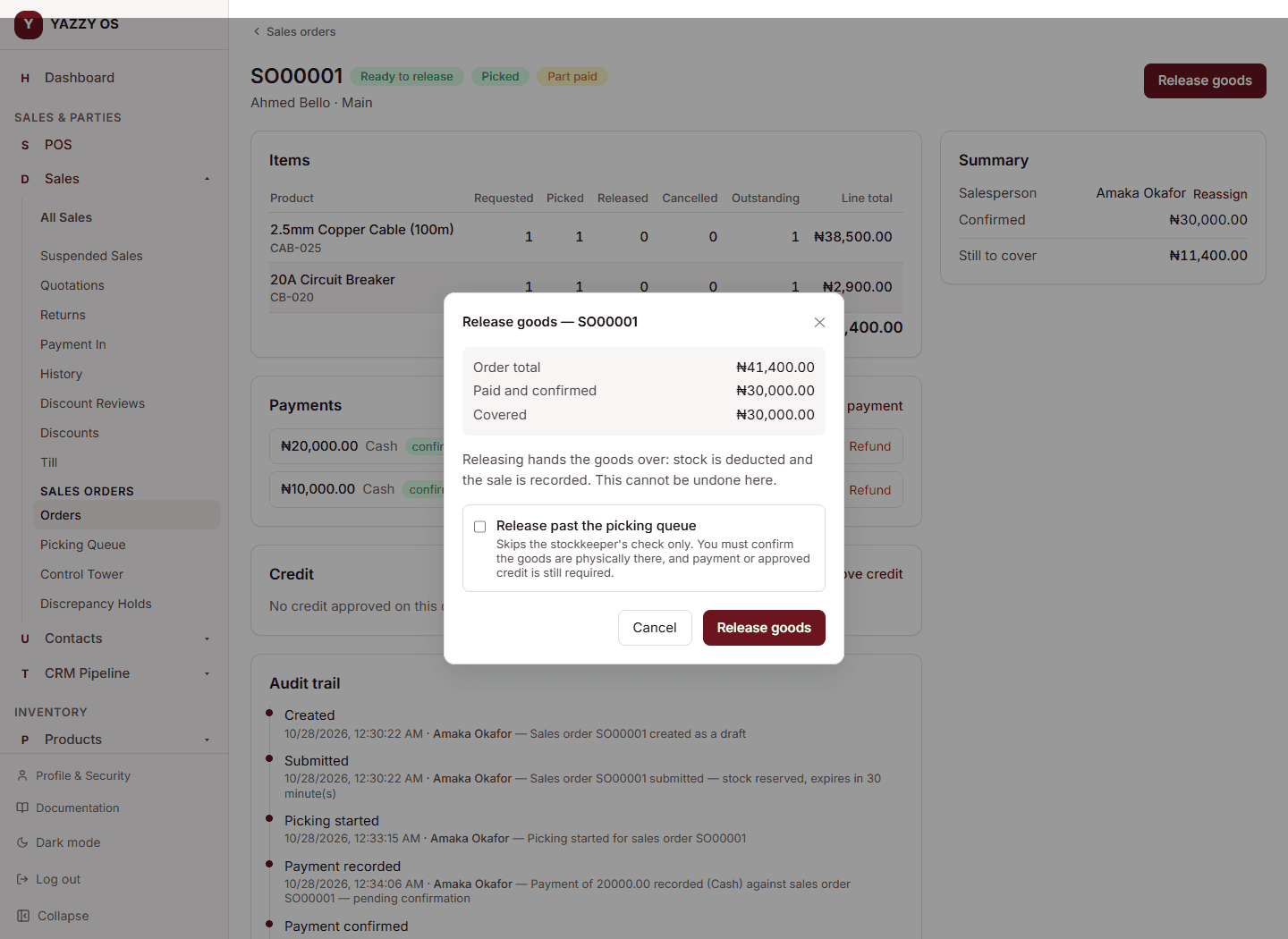
At this moment:
- Your stock is permanently reduced.
- The sale is recorded as completed and posted to your accounts.
- The full history of the order — who did what, and when — is finished off with the release itself.
If the order was only partly picked, releasing it only ships what was verified; the rest stays open on the order for a later release once the remainder is picked.
Selecting Release twice in a row — a slow connection, an accidental double-tap — never results in two sales or two stock deductions. The second attempt simply shows you the same result as the first.
Releasing past the picking queue
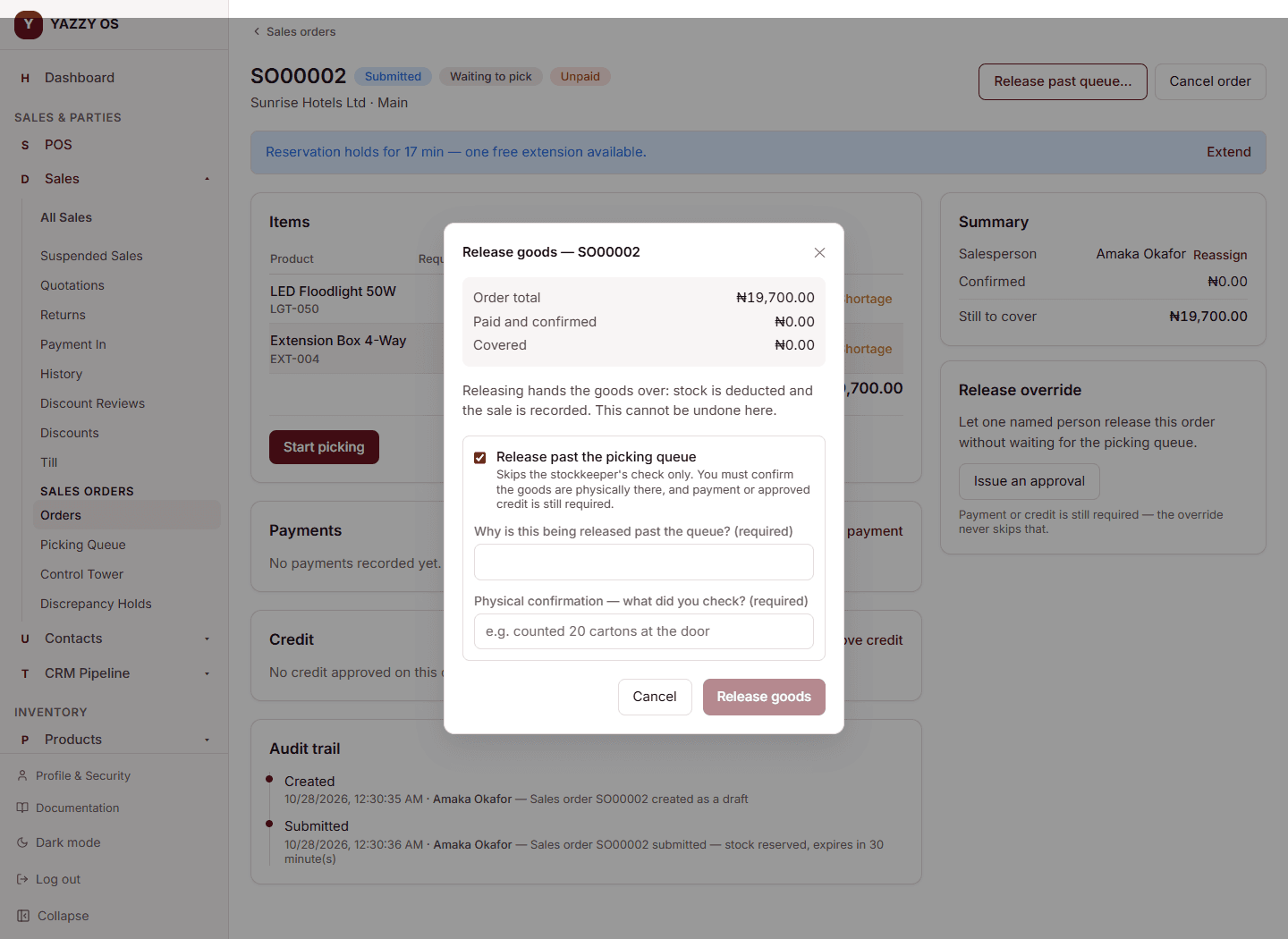
Sometimes a trusted order needs to go out before the stockkeeper has formally worked through the queue — the Owner, or someone the Owner has specifically named for it, can do this.
This only skips the picking-queue step. It never skips payment or credit — those are checked exactly the same way as any other release. Whoever releases this way has to confirm, in their own words, what they physically checked before letting the goods go, and give a reason. Both are recorded.
To let someone else do this for a specific order, the Owner selects Issue an Approval on that order, names the person, gives a reason, and sets how long the approval is valid for. That person can then release only that one order, only within that time.
If you've been named on an approval like this, you don't need to already have the order's link — open Sales → Orders and you'll see a banner at the top listing every order you've been trusted to release, with when the approval expires. Select one to jump straight to it.
📸 Screenshot needed: the "You've been trusted to release..." banner on the Orders screen.
Cancelling an order
An order that hasn't been released yet can be cancelled with a reason, from draft, submitted, or on hold. Its reserved stock goes straight back to being available. If a payment had already been recorded on it, that payment isn't automatically refunded — refund it separately if the money needs to go back, or leave it as a deposit if the customer is coming back with a different order.
An order can't be cancelled while it has an unresolved discrepancy hold — that hold has to be closed out first, since cancelling would otherwise free up stock that might not really be there.