Staff performance reviews
Set targets for a position, then review how someone's actually doing against them.
Setting a target (KPI)
A KPI is a target tied to a position, not a person — everyone in that position is measured against it.
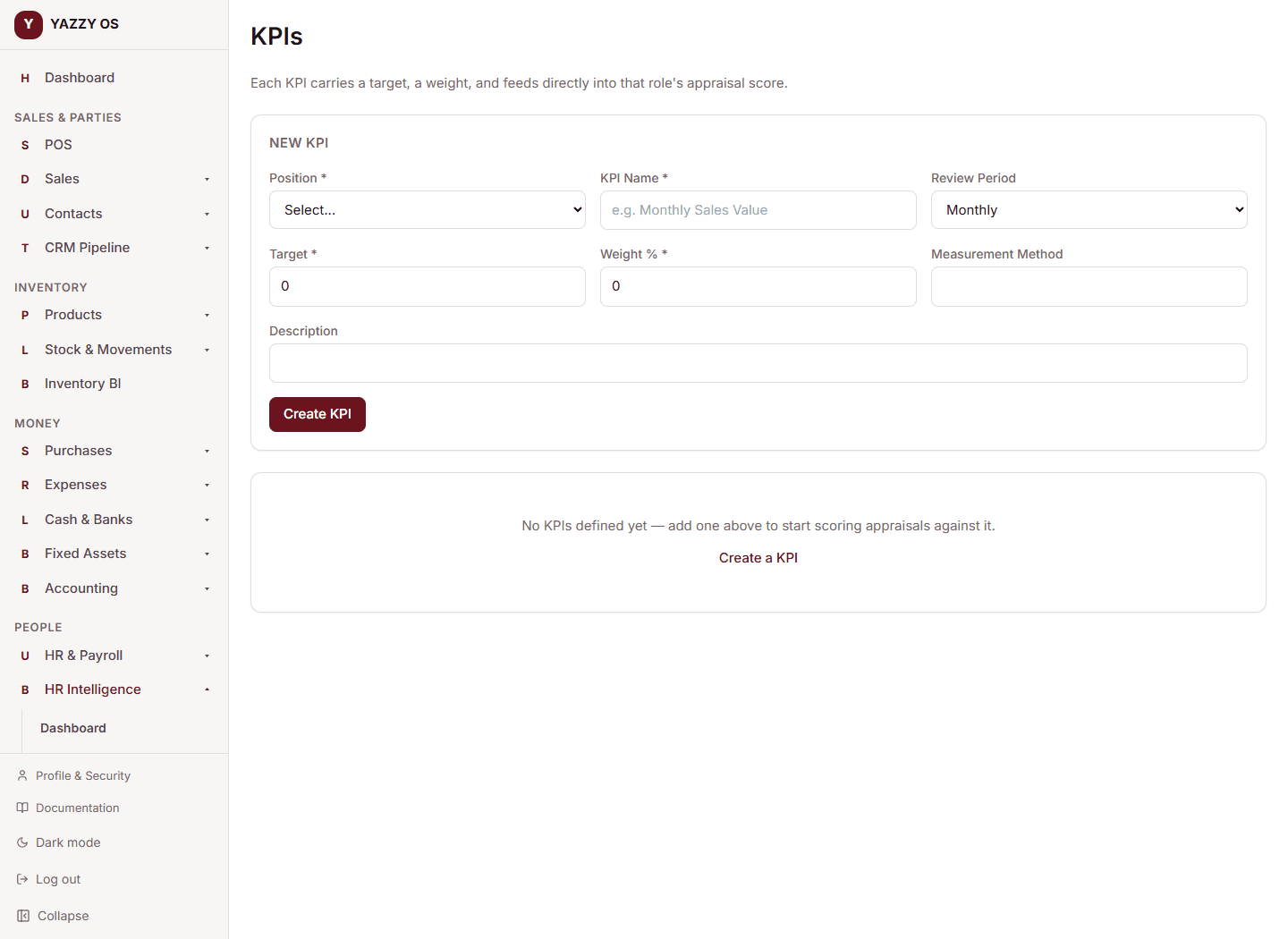
- Go to HR Intelligence → KPIs.
- Select the Position it applies to.
- Give it a Name (e.g. "Monthly Sales Value"), a Target, and a Weight (%) — how much it counts toward that position's overall score if there's more than one KPI.
- Optionally describe how it's measured, and how often it's reviewed.
- Save.
Running a review (appraisal)
- Go to HR Intelligence → Appraisals.
- Select New Appraisal and choose the staff member.
- YAZZY OS shows a computed score preview, based on their position's KPIs — you can adjust it before finalizing.
- Add comments, strengths, and areas for improvement.
- Finalize the review.
📸 Screenshot needed: the appraisal review screen with the computed score preview.
If someone's position has no KPIs set yet, there's nothing for YAZZY OS to compute a score from — set one up first, or enter the score by hand.