Buy, receive and return in units
Order from a supplier in cartons or packs, receive in the unit you ordered, and return goods in the same unit.
This guide assumes your company is on Option 2 and the item has a secondary unit — see Set up an item with two units.
Create a purchase order in a unit
- Go to Purchases and select New.
- Pick the supplier, branch and the other header fields as usual — see Recording a purchase from a supplier.
- Search for ABC and add it. The line starts in the primary unit (Carton) with the item's cost per carton.
- To buy in packs, change the unit box beside the item's name to Pack. The Unit Cost changes to the item's purchase price per pack (or the carton cost divided by the conversion if you did not set one).
- Type the Quantity: for example 40 packs at ₦450.
- Save the order.
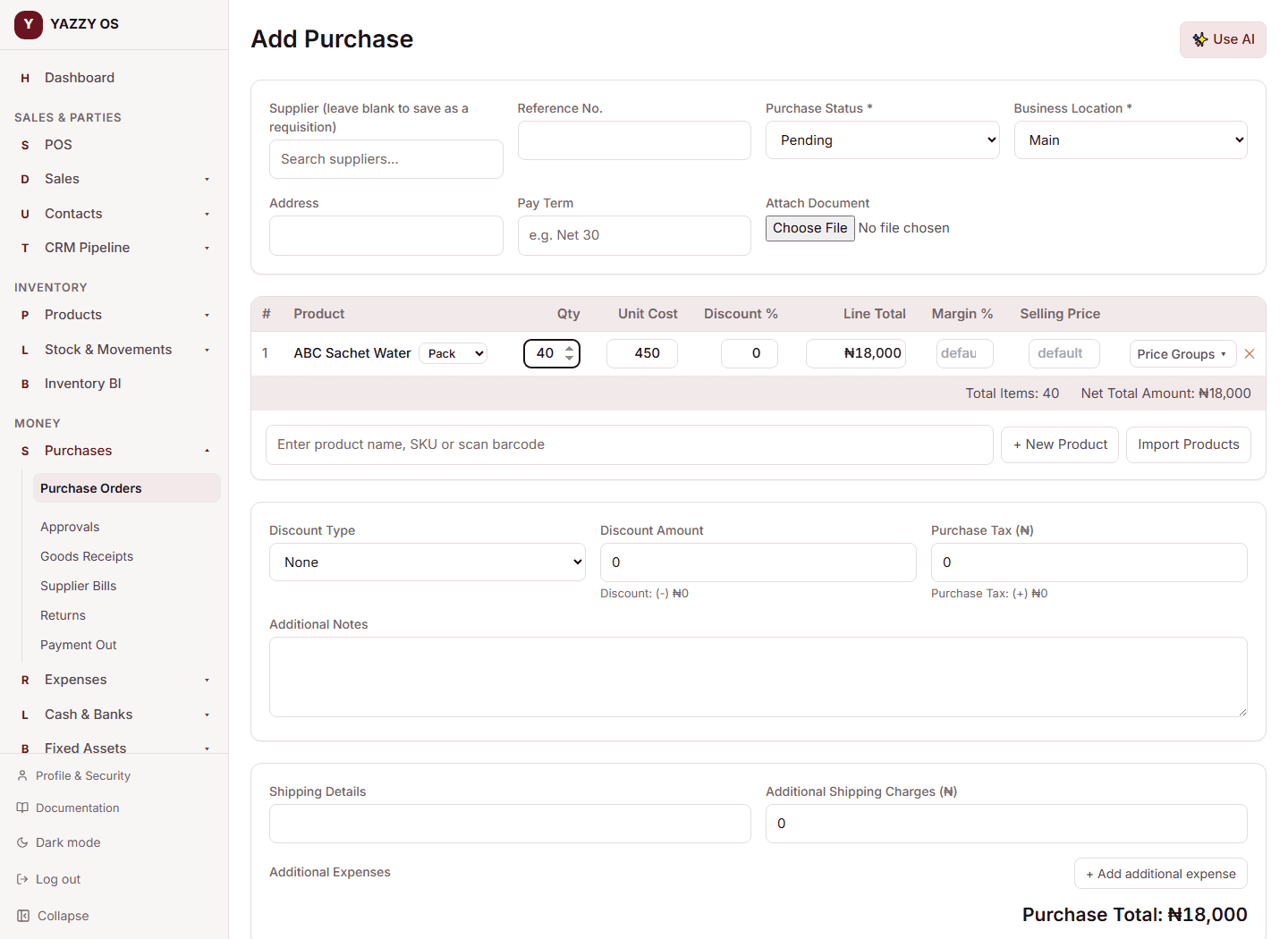
The order total is exactly what you typed: 40 × ₦450 = ₦18,000. Behind the scenes the line is stored as 2 cartons at ₦9,000, and the order screen, the PDF and the supplier copy still show 40 Pack @ ₦450.
You can mix lines: 5 cartons of ABC and 40 packs of ABC on the same order are two lines.
A compound product cannot be put on a purchase order — it holds no stock. Buy its parts instead.
Receive the goods
- Open the purchase order and select Receive Goods.
- The table shows Outstanding in the unit you ordered (40 Pack), and Receiving Now and Unit Cost start in that unit.
- Change Receiving Now if only part arrived — for example 25 packs. The unit cost stays per pack.
- Fill in lot number and expiry date if your company uses them.
- Select Confirm Receipt.
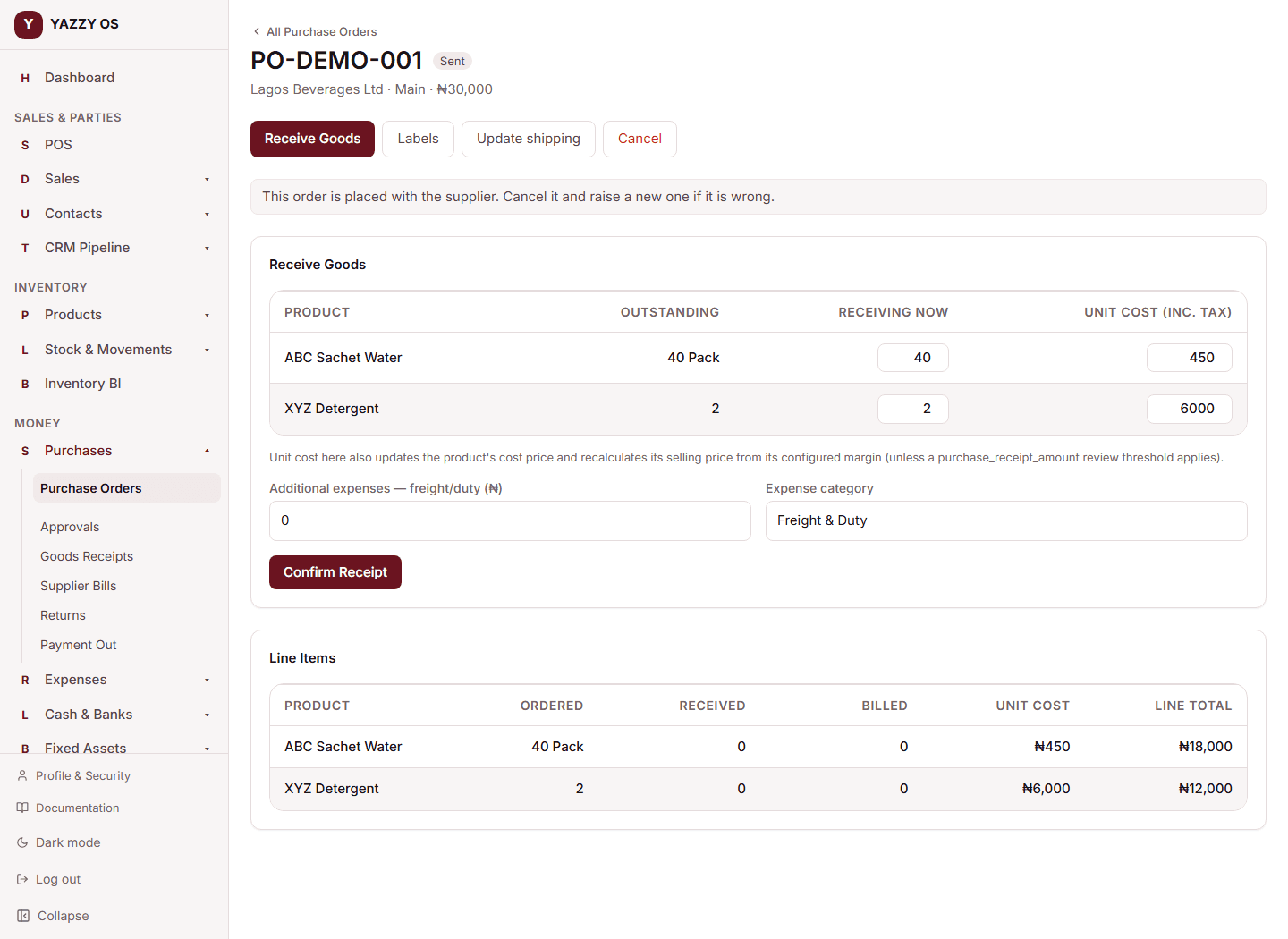
Stock goes up by 25 packs, which is 1.25 cartons, added to the same single stock pool. The rest of the order stays outstanding (15 Pack). You cannot receive more than was ordered.
Receiving in a quick-receive action on the mobile app receives everything outstanding in the primary unit.
Return goods to the supplier
- Open the purchase order and select Purchase Return (it appears once goods have been received).
- Each line shows what was Received in the unit you ordered it in (25 Pack).
- Type the Return Qty — for example 10 packs — a reason and the refund method.
- Select Confirm Return.
Stock goes down by 10 packs (0.5 carton). Returning more than was received (less what you already returned) is refused.
Reorder suggestions, counts and transfers
- Stock counts accept part quantities on Option 2. Type the counted amount in the primary unit (9.85); the system quantity is shown as "9 Carton 17 Pack".
- Stock transfers and stock adjustments also take the primary unit. On Option 1 they only accept whole numbers.